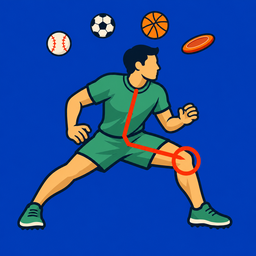
See your serve clearly
SportsDraw turns a phone clip of your serve or forehand into something you can actually study: one frame at a time, with the toss traced and the next session side by side.
What SportsDraw does for tennis
SportsDraw is an iPhone and iPad app for reviewing practice video. For tennis, that usually means the serve: you step through the toss, find the contact frame, mark where your body was, and compare it with last week. Players use it on their own clips, parents use it at junior practice, and coaches use it between reps on court. Groundstrokes and volleys work the same way from a fixed camera spot.
Two camera views for the serve
Most serve questions need one of two views. Pick the one that matches what you want to check, and keep it the same from session to session.
- Side view. Set the phone beyond the doubles sideline, roughly level with the baseline and 20 feet or more to the side of the server, with the lens around chest height. This shows the toss height, the reach to contact and how you move into the court. Leave plenty of headroom so the top of the toss stays in frame.
- Rear view. Stand the phone behind the baseline, clear of play, so it sees the server and the target service box. This view is better for where the toss drifts left or right and where the ball goes.
A fence mount or small tripod makes the next session easy to repeat. The tennis serve camera angle guide covers both setups in more detail, including what to label on each clip.
How to review a serve in SportsDraw
- Record in the app with a 3, 5 or 10 second start delay, or start and stop with the volume buttons, Camera Control or a Bluetooth remote so you can stay at the line. You can also import from Photos, including Slo-mo clips at 120 or 240 fps.
- Play at half or quarter speed to find the serve, then step frame by frame around the toss release and contact.
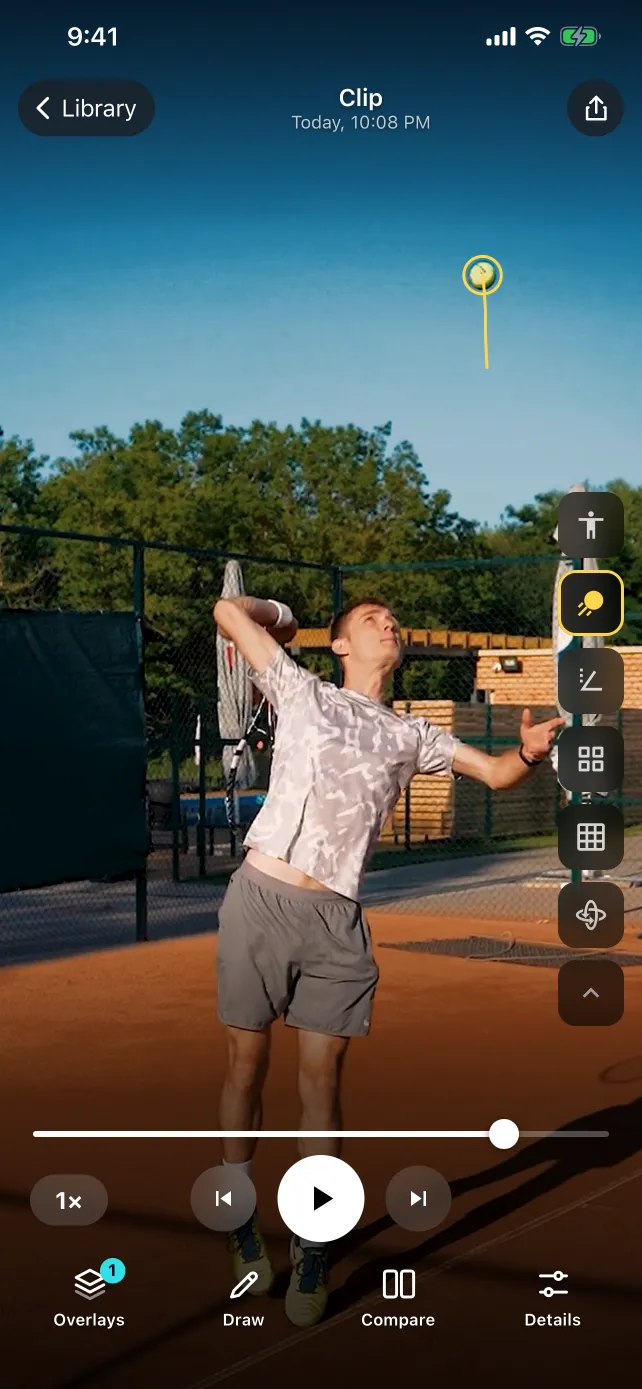
- Turn on ball tracking to draw the toss as a trail.
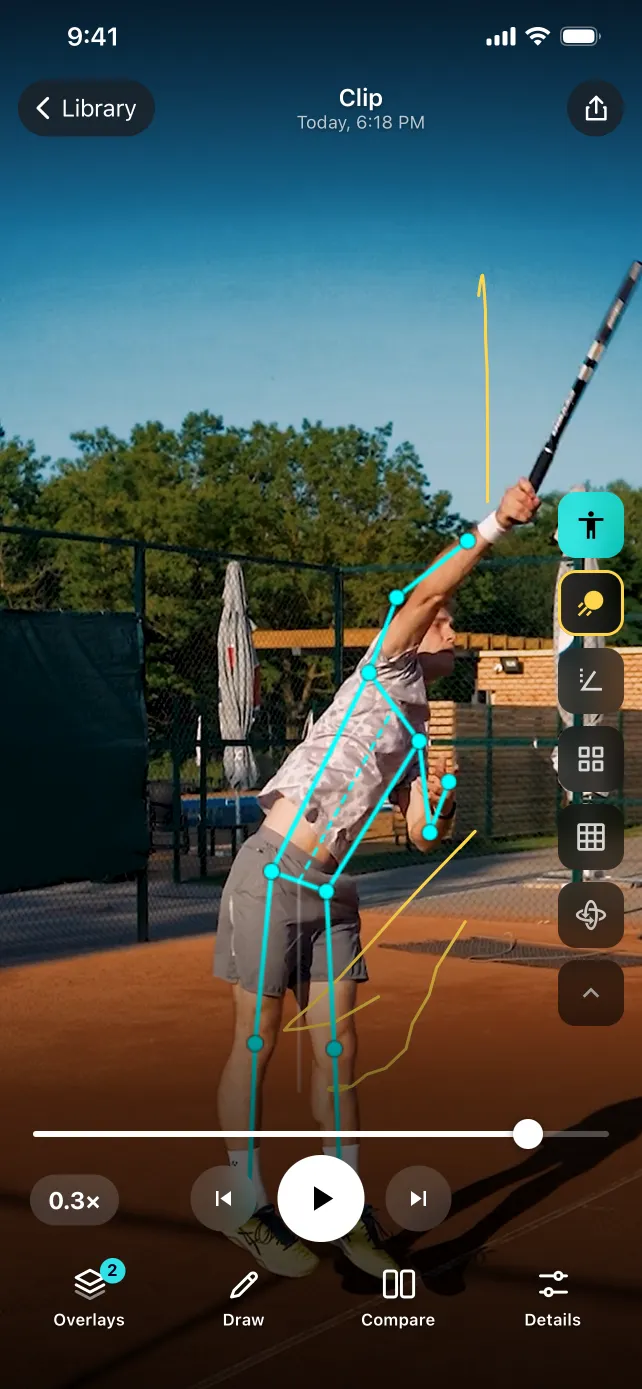
- Turn on body tracking to show a skeleton overlay and joint angles at the frames you care about.
- Add a line, circle, arrow or angle to mark one question.
- Open a second serve side by side or stacked.
- Tag the clip (deuce, first serve, flat) and add a note or voice note.
- Export a marked frame or clip through the share sheet if your coach wants to see it.
Ball tracking on the toss
The toss is where ball tracking earns its keep. The trail shows the path the ball took up and down, so from the side you can see whether it peaked in front of you or drifted behind your head. From behind, you can see whether it drifted left or right. Side by side, a difference in toss placement is much easier to see than at full speed.
The trail is a picture of the visible ball, not a measurement. It does not give you serve speed or spin. After contact a hard serve moves a long way between frames, so the trail may break up; Slo-mo clips and good light help. For the best results, see how to film for ball tracking.
Body checkpoints worth a look
Body tracking gives you a skeleton and joint angles to orient your eye. Treat the numbers as a way to compare your own clips, not as a grade. A few frames are worth pausing on:
- Trophy position. Where the tossing arm, hitting elbow and knees are as the ball nears its peak.
- Knee bend. How much you load before driving up, compared across serves.
- Contact. How extended the hitting arm is at the frame nearest contact.
- Landing. Where you land relative to the baseline, which a simple line on the court makes easy to see.
A side view is a flat picture of a 3D motion, so check each joint marker against the video. If the racket hides your elbow, trust the image over the overlay.
Comparing two serves fairly
Compare the same serve type from the same court side and the same camera spot. A first serve on the deuce side against a kick serve on the ad side tells you very little. Line up both clips at contact, then step backward through the toss together. Keep ordinary serves in the set, not just your best one.
Cost and privacy
SportsDraw is $9.99 once, with no subscription, no in-app purchases and no ads. The subscription apps in our comparison charge about $40 to $100 a year for a solo plan; the app comparison has the current prices. With Family Sharing, up to six family members can use one purchase.
Your clips stay on your iPhone or iPad. There is no account, the app works offline, and the App Store privacy label is Data Not Collected. Read more about how SportsDraw keeps video private.
Built for visual review
SportsDraw shows you the toss, contact and follow-through frame by frame, so you and your coach can see the stroke. It does not measure serve speed, spin or racket speed, it does not call lines, it does not keep match stats, and it does not coach you automatically. If a serve hurts, stop and see a qualified professional rather than reading the video for answers.
Table tennis players can find a similar workflow in the table tennis forehand guide, and pickleball players can see the pickleball video analysis page.