Check your shooting form
A make or a miss is only the end of the shot. SportsDraw lets you step through the gather, set point and release, see the ball's arc and compare today's shot with a better one.
What SportsDraw does for shooting
SportsDraw is an iPhone and iPad app for reviewing practice video. For basketball, that means shooting form: you film a set of shots, slow them down, mark where the ball and body were at the moments that matter, and compare reps. Players use it during their own shooting work, parents film at the gym, and coaches use it between reps to show a shooter one thing to change.
Two views for a jump shot
Keep the whole shooter, the ball at release and both feet in the frame. Include the rim if it fits without making the shooter tiny.
- Side view. Set the phone 12 to 15 feet to the shooting-hand side of the player, outside the rebounding area, with the lens around chest height. This view shows the dip, the rise, the set point, the release and the landing.
- Rear-oblique view. Put the phone behind and a little to one side of the shooter, with the rim and a court line in frame. This helps you compare where the ball travels relative to the basket.
Use the same shot location and preparation for the whole set. The basketball shooting form video guide covers both setups and what to label.
How to review a shot in SportsDraw
- Record in the app with a 3, 5 or 10 second start delay, or start and stop with the volume buttons, Camera Control or a Bluetooth remote. Or import from Photos, including Slo-mo at 120 or 240 fps.
- Play at half or quarter speed, then step frame by frame from the catch to the landing.
- Turn on ball tracking to trace the shot arc.
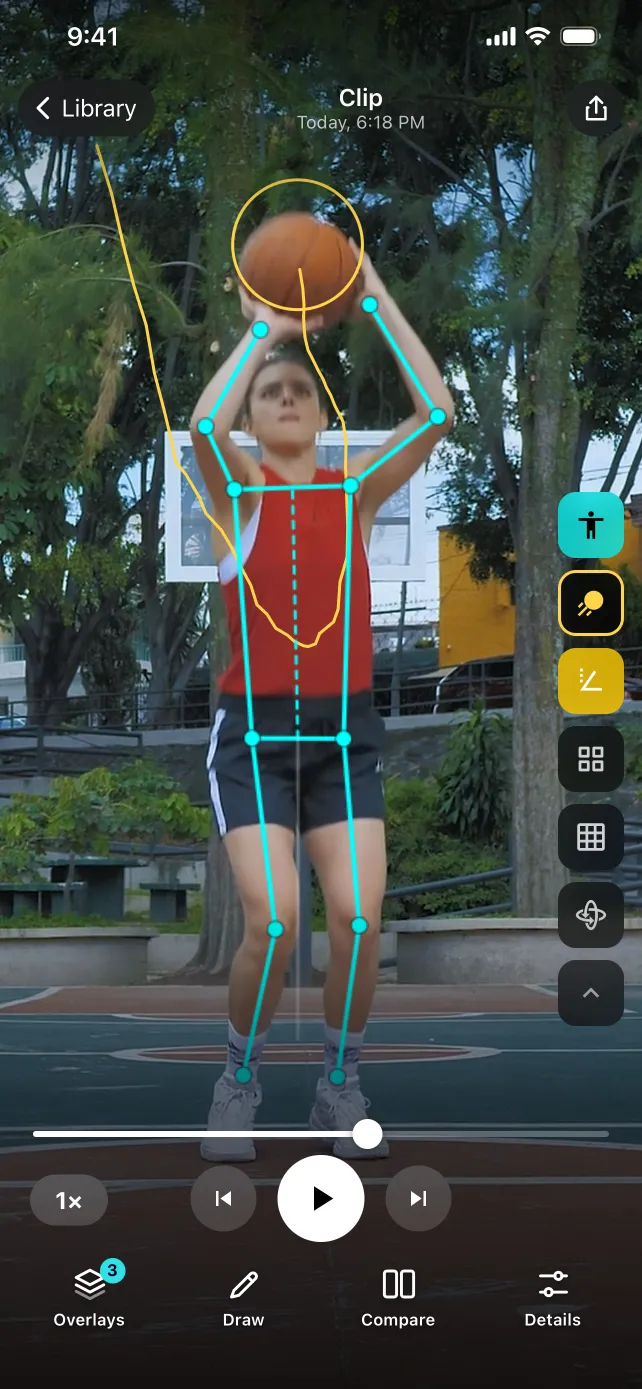
- Turn on body tracking for a skeleton overlay and joint angles.
- Draw a line at your takeoff spot or an angle at the elbow.
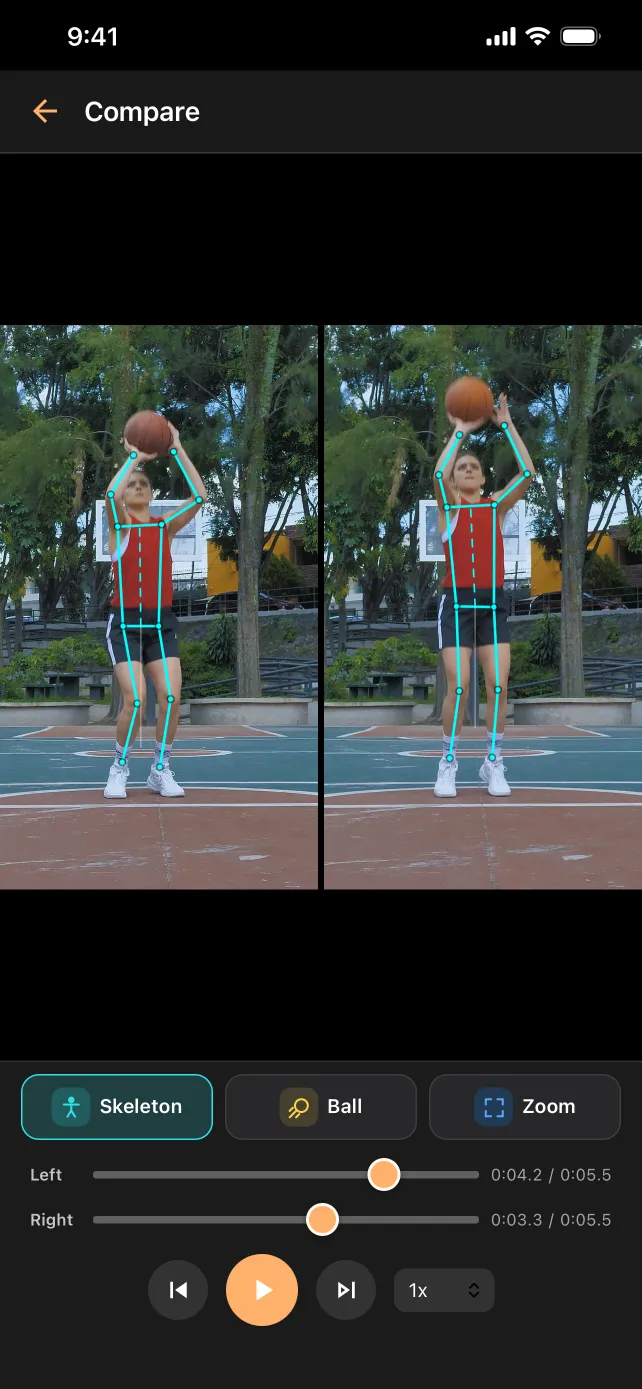
- Compare two shots side by side or stacked.
- Tag the clip (free throw, catch-and-shoot, left wing) and add a note or voice note.
- Export a marked frame or clip through the share sheet.
Seeing the shot arc
Ball tracking draws the visible path of the ball as a trail. From the side, that trail shows the shape of the shot, so a flat shot and a higher one look clearly different when you lay them side by side. From behind, it shows whether the ball drifted left or right on the way to the rim.
The trail is a picture, not a measurement. It does not give you an arc angle, release speed or spin, and it does not count makes. It works best with a steady phone, good gym light and a ball that stands out from the background. See how to film for ball tracking.
Body checkpoints worth a look
Body tracking gives you a skeleton and joint angles to compare your own shots. Use them to guide your eye, not as a grade of good or bad form. Frames worth pausing on:
- Dip. Knee and hip bend at the lowest point before the rise.
- Set point. Where the ball sits relative to your head and how the shooting elbow is positioned.
- Release. Arm extension and wrist at the last frame the ball touches your hand.
- Landing. Where you land compared with where you took off; a line on the floor makes drift easy to spot.
A single camera flattens a 3D motion, and the ball can hide your hand. Check each joint marker against the video.
Comparing two shots fairly
Compare shots from the same spot, with the same preparation, filmed from the same camera position. A free throw and a pull-up jumper are different shots. Line both clips up at release, then step backward to the gather. Keep misses in the set too; comparing only your best make with your worst miss hides what you usually do.
Cost and privacy
SportsDraw is $9.99 once, with no subscription, no in-app purchases and no ads. The subscription apps in our comparison charge about $40 to $100 a year for a solo plan; the app comparison has the current prices. With Family Sharing, up to six family members can use one purchase.
Your clips stay on your iPhone or iPad. There is no account, the app works offline, and the App Store privacy label is Data Not Collected. Read more about how SportsDraw keeps video private.
Built for visual review
SportsDraw shows the gather, set point, release and ball arc frame by frame. It does not count makes and misses, chart shooting percentages, measure arc angle or release time, or coach you automatically. If your shoulder, wrist or knee hurts when you shoot, see a qualified professional.
Coaching a team? See SportsDraw for coaches.