Pickleball Dink Video Analysis: Film Paddle Contact and the Next Bounce
Record a pickleball dink with the paddle, net and next bounce visible. Compare matched feeds, contact and recovery using a practical phone-video review.
Read the filming planA table tennis ball can travel between recorded frames, disappear behind the paddle or blend into the wall. A forehand clip becomes more useful when the incoming bounce and the player’s recovery remain visible around that uncertain contact interval.
Choose a stable side-oblique view outside the playing space that retains the player, relevant table surface, incoming bounce and follow-through. Use a familiar, repeatable feed and compare the same stroke. Keep contact uncertainty explicit when the ball is too small or blurred.
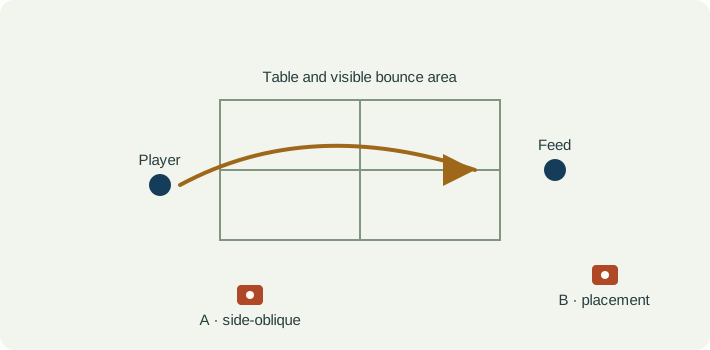
Frame the player’s feet and upper body with the relevant part of the table. Put the support outside the player’s reach, movement space and adjacent tables. Include the incoming bounce area and the racket finish, rather than a close-up that removes both the feed and the recovery.
A wider rear-oblique view may help identify placement across the table. A separate side view can make a particular racket sequence clearer. Keep the two recording setups labelled and avoid interpreting a perspective change as a change in stroke.
Record whether the feed comes from a partner, robot or multiball practice, and note the agreed target. A forehand drive, topspin attack and defensive return involve different tasks. Compare the same practice setup before discussing an apparent technical difference.
| Event | What to keep visible | Review question |
|---|---|---|
| Incoming bounce | The visible table bounce and the player’s preparation. | Are the two feeds comparable, or does the ball arrive differently? |
| Contact interval | The last clear ball position before the paddle and first clear separation after it. | Is contact visible, hidden by the paddle, or missing between frames? |
| Finish | The racket finish and upper body without cropping. | Does the paused position make sense within the surrounding stroke? |
| Recovery | The feet and next preparation. | Can I see how the player returned for the next ball? |
| Observation | Interpretation to check | Next useful action |
|---|---|---|
| The ball jumps across the paddle between frames. | The exact contact event may not be recorded. | Use a contact interval in the note rather than reporting an exact contact frame. |
| A later return looks different. | The incoming placement or feed may have changed. | Compare matched feeds before attributing the change to technique. |
| The ball appears to curve in a crop. | Perspective, blur and missing positions limit the path interpretation. | Do not infer measured spin or a calibrated trajectory from the crop. |
| The feet disappear from the review. | The camera retained the stroke but lost the recovery question. | Keep a wider original or widen the next recording. |
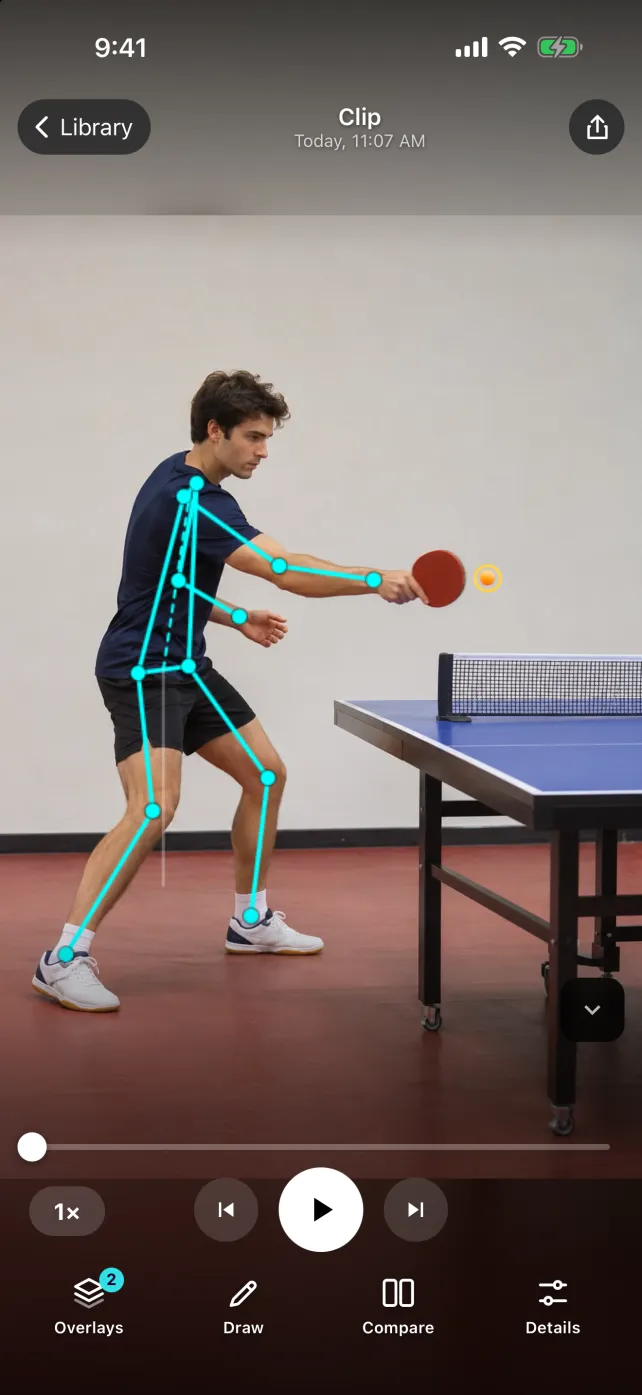
In the SportsDraw player, review the bounce and racket sequence manually, step through visible frames, draw a reference and compare matched attempts. Keep feed details in the note. This article does not establish reliable automatic tracking of a small table tennis ball, spin measurement, racket-speed measurement or full-rally event detection.
See what SportsDraw can do · See SportsDraw on the App Store
Fast contact, paddle occlusion and indoor lighting can limit the information a recording contains. Slow playback changes viewing speed, not the capture history. A drawing is a visual reference in the image plane; it does not establish racket angle, ball spin or measured clearance in three dimensions. Use the clip to support a specific discussion with your coach.
Slower playback does not add frames that the camera never recorded. If contact is hidden or falls between frames, preserve that uncertainty in your note. See frame timing explained.
https://sportsdraw.app/posts/table-tennis-forehand-video-analysis
This worksheet stays in this page. Copy or print it to keep it; its contents are not sent to us.
Forehand drive, same partner feed and target. Take A clearly shows the incoming bounce, while take B hides it behind the player. Observation: the feeds cannot be matched confidently from these clips. Next question: can a slightly different approved view retain the bounce and full recovery?
This article is published by the app developer as a filming-and-review workflow. Camera diagrams and example notes are illustrative. They are not athlete test results or an individual coaching assessment. Coaching context was checked against the primary resources below on November 8, 2026.
The federation’s primary technique-video resource identifies the forehand drive as a distinct stroke. This article supplies a filming protocol rather than reproducing its coaching instruction.
Primary examples of event-by-event analysis using high-speed footage. The existence of specialist recordings does not mean an ordinary phone clip resolves every contact.
Record a pickleball dink with the paddle, net and next bounce visible. Compare matched feeds, contact and recovery using a practical phone-video review.
Read the filming planRecord the preparation, overhead contact area and recovery of a familiar badminton clear. A camera plan, review checkpoints and printable practice card.
Read the filming planAll sports video-review guides · Baseball and other practice articles