
Running Form Video Analysis: Film a Consistent Side View
Record a useful side-view running clip, match pace and stride events, and keep perspective changes out of your comparison. Includes a printable review card.
Read the filming planA bright poolside video can still hide the movement a swimmer wants to discuss. The waterline separates two different views, and a reflection or splash can obscure an event in either one. Decide which part of a familiar stroke cycle needs to be visible before choosing the recording position.
You can review the parts the recording clearly shows, such as an above-water arm recovery and the surrounding stroke rhythm. It cannot reveal a hidden underwater hand path. Agree on the question and filming permission first; use properly arranged underwater footage only when the pool and coach permit it.
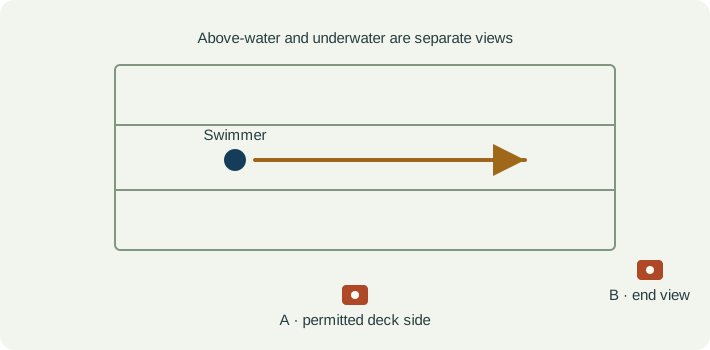
Ask pool management and the coach where recording is allowed. Agree on consent and avoid capturing other swimmers. Keep the phone and support in the permitted deck area without blocking access or distracting supervision. A review plan does not justify putting an ordinary phone in the water.
A side view above water may show the head and arm recovery through repeated cycles. An end view answers a different question and changes perspective as the swimmer approaches. Retain a lane or pool reference, label the recording view, and avoid comparing different views as though they show identical geometry.
If underwater footage is already being arranged by the coach and facility, use equipment and handling approved for that setup. Preserve the original orientation and note whether the view is side-on or from the end. Do not extend poolside observations into claims about a submerged movement the camera never recorded.
| Event | What to keep visible | Review question |
|---|---|---|
| Cycle reference | A repeatable event clearly visible in that camera view. | Can I identify the same event in both clips without guessing through splash? |
| Above-water recovery | The visible arm, head and surrounding water surface. | Which part is actually above the water and unobscured? |
| Underwater portion, if recorded | The body region shown by the separate underwater camera. | Is this the same cycle or a different recording, and what remains hidden? |
| Following cycle | The next complete cycle in comparable footage. | Does the observation persist across more than one clearly visible cycle? |
| Observation | Interpretation to check | Next useful action |
|---|---|---|
| The hand disappears below the surface. | The above-water view does not contain the rest of its path. | Limit the note to what is visible and ask whether a permitted underwater view is needed. |
| The body looks different across two views. | Viewpoint and the water surface change the appearance. | Compare recordings from the same setup before interpreting a difference in body position. |
| Splash hides the cycle reference. | The selected event cannot be aligned confidently. | Choose another visible cycle and keep the uncertain one out of the comparison. |
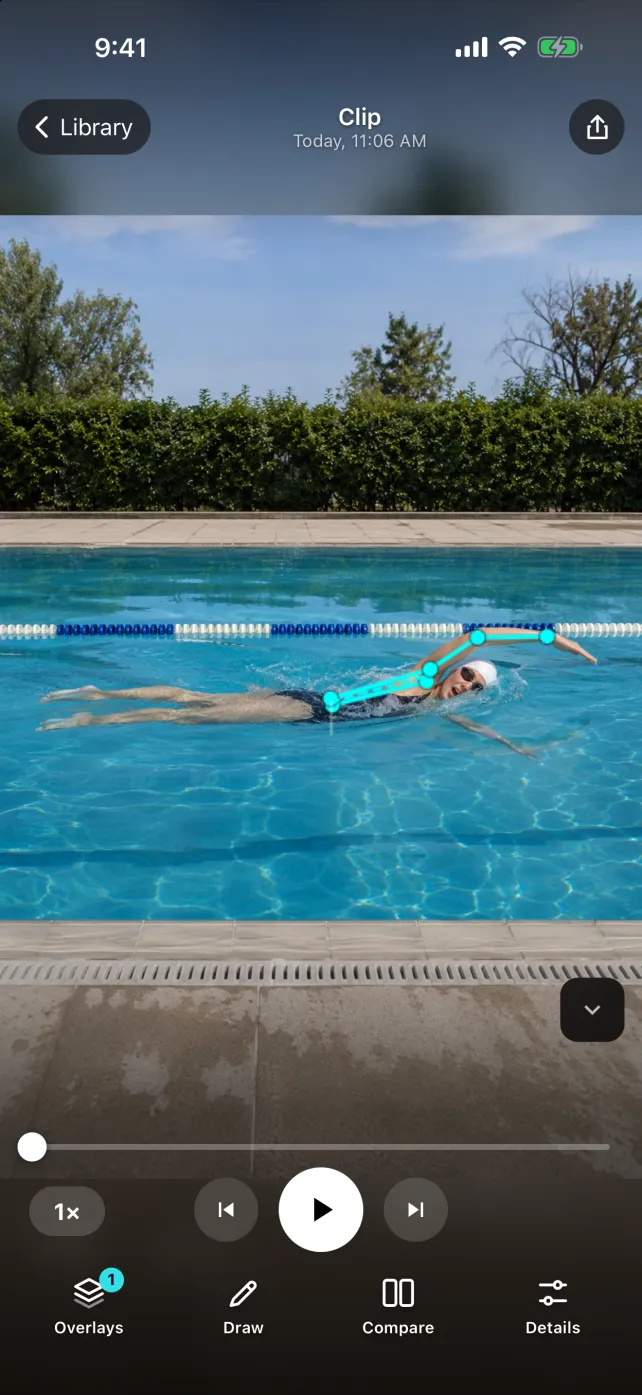
| A body overlay loses a limb underwater. | This use of the pose overlay has not been validated here. | Review the original image and use a manual mark only where the movement is clear. |
The SportsDraw player supports manual review of imported practice clips using slow playback, frame stepping, drawings, notes and clip comparison. For swimming, begin with the original footage. This guide does not claim reliable underwater skeleton tracking, automatic stroke recognition, efficiency scoring or a live camera connection to pool equipment.
See what SportsDraw can do · See SportsDraw on the App Store
A water-obscured body part remains unobserved. A drawing does not reconstruct it, and slower playback cannot remove splash or restore missing frames. This is a recording and communication workflow, not a stroke-correction prescription, pool-supervision procedure or assessment of swimming safety. Follow the facility and coach for the actual session.
Slower playback does not add frames that the camera never recorded. If contact is hidden or falls between frames, preserve that uncertainty in your note. See frame timing explained.
https://sportsdraw.app/posts/swimming-stroke-video-analysis
This worksheet stays in this page. Copy or print it to keep it; its contents are not sent to us.
Freestyle mid-pool segment, same direction and above-water side view. The recovery is visible in both selected cycles, but the near hand is submerged after entry. Observation: no underwater path is available in these clips. Ask the coach whether the existing view answers our question before arranging a different setup.
This article is published by the app developer as a filming-and-review workflow. Camera diagrams and example notes are illustrative. They are not athlete test results or an individual coaching assessment. Coaching context was checked against the primary resources below on November 8, 2026.
Primary coaching guidance distinguishes above-water and underwater recordings and calls for pool and swimmer permission. Its equipment/software examples are not current buying recommendations in this article.
Record a useful side-view running clip, match pace and stride events, and keep perspective changes out of your comparison. Includes a printable review card.
Read the filming planFilm a skating sequence from an approved rink position, retain the entry and exit, and compare matched practice clips with a coach. Includes a review card.
Read the filming planAll sports video-review guides · Baseball and other practice articles