
Soccer Dribbling Video Review: See Touches and Changes of Direction
Set up a side-on dribbling clip, keep the full cone lane visible, and compare the touch before a turn, the change of direction and the exit.
Read the filming planA clip that follows the ball into the net can miss the touch that sent it there. Set the camera to keep the player and the early ball path visible together. This guide is a filming and review protocol for a finishing practice you already use with your coach.
Use a fixed side-oblique view that includes the approach, both feet, ball and target. Review the last approach step, the contact interval and the ball's first visible travel separately. Compare the same shot setup across several reps before changing a technical cue.
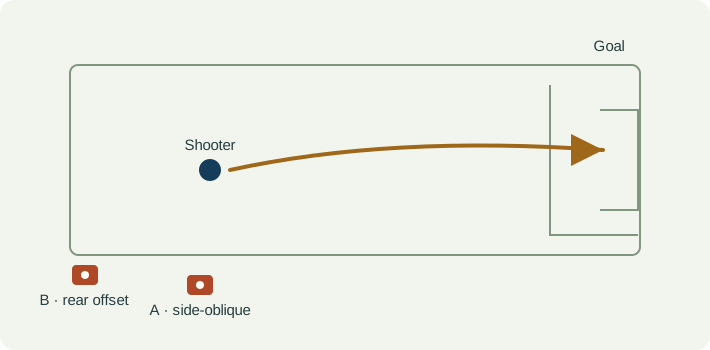
Put the phone on a stable support outside the shooting lane. Frame the player's full approach, both feet, the ball and enough of the goal to identify the intended target. Test the widest part of the follow-through before recording the set.
This view helps you compare the approach line with the target. Move the camera between sets, then repeat the same practice. Do not treat two different attempts as synchronized views of one strike.
Leave a stationary cone or field marking visible near the starting ball position. It gives you a consistent reference when comparing clips. Keep the phone level and do not pan after the ball.
| Event | What to keep visible | Review question |
|---|---|---|
| Last approach step | Where the support foot and ball appear relative to the same field reference. | Did the approach end in a visibly different place, or did the camera move? |
| Contact interval | The final frame before foot-ball overlap and the first frame where the ball is clearly separate. | Is contact visible, hidden by the leg, or between recorded frames? |
| First travel | The first unobstructed ball positions after the strike, plus the intended target. | Did the initial direction differ between similar attempts? |
| Recovery | The player's next steps while the ball is still visible. | Can you see the whole finish, rather than a cropped still of the kicking leg? |
| Observation | Interpretation to check | Next useful action |
|---|---|---|
| The ball disappears behind the kicking leg | Contact and the start of the path are obscured. | Move a little farther to the side and re-film the same setup. |
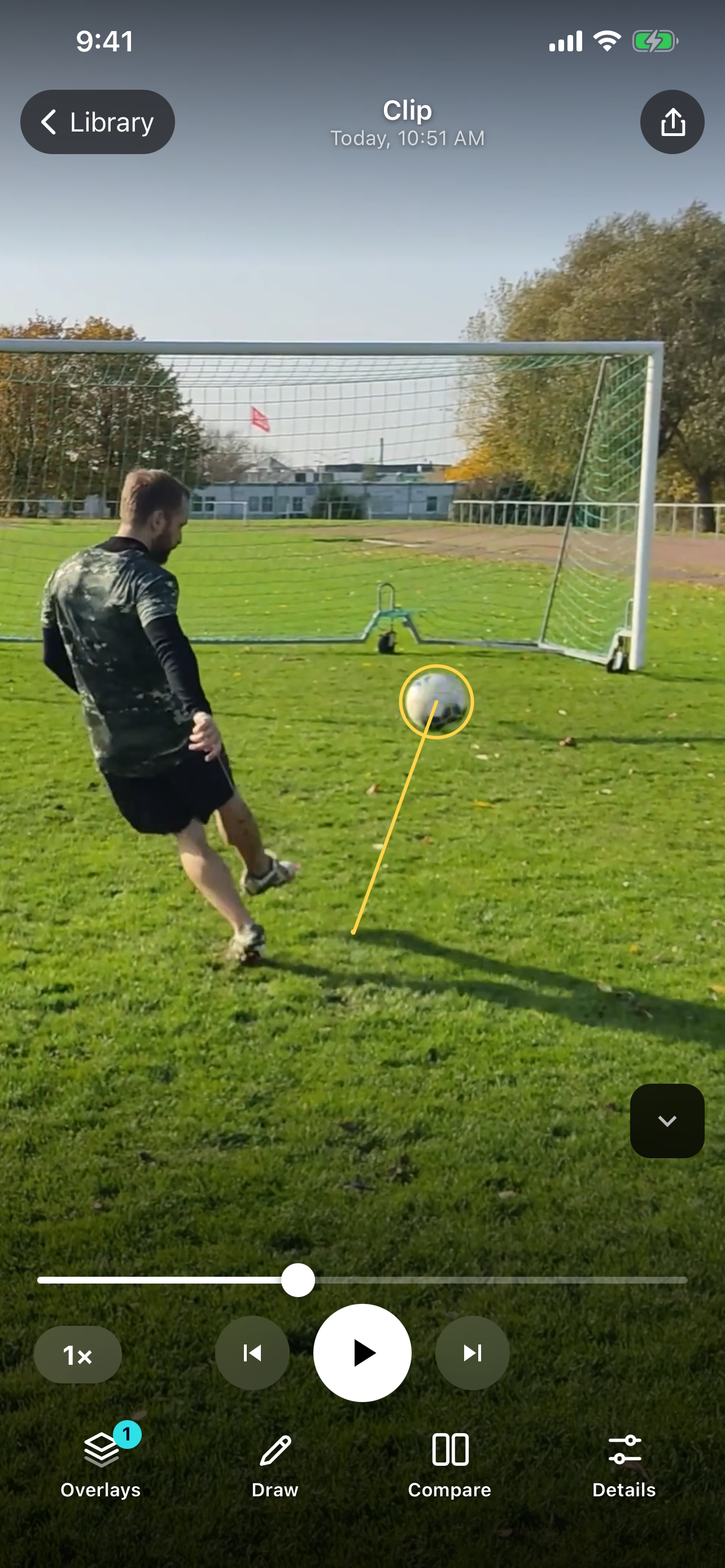
| A path appears to start on empty grass | The player's foot has moved since the strike, or tracking began after contact. | Scrub back to the strike; inspect the original frames before interpreting the trail. |
| One attempt looks straighter than another | A changed camera angle can change the apparent direction. | Compare clips recorded from the same fixed support and target. |
| A goal looks good but the strike is unclear | The outcome is visible; the technical question is not. | Keep the goal as context, but widen the frame around the player and ball. |
In SportsDraw 1.1.0, start with frame stepping around the strike. Add a short line for the approach or a circle around the contact area. Turn on ball tracking only when the ball is clearly visible, then check the trail against the original frames. Use a short trail when the goal is close to keep the strike readable.
See what SportsDraw can do · See SportsDraw on the App Store
A drawn ball path is a visual overlay, not a calibrated speed, spin or three-dimensional flight measurement. A phone can miss the instant of contact, particularly when the ball is blurred or the leg blocks it. A made or missed shot also depends on the feed, target, goalkeeper and other circumstances; the video does not isolate a cause by itself.
Slower playback does not add frames that the camera never recorded. If contact is hidden or falls between frames, preserve that uncertainty in your note. See frame timing explained.
https://sportsdraw.app/posts/soccer-shooting-video-analysis-iphone
This worksheet stays in this page. Copy or print it to keep it; its contents are not sent to us.
Shot 4 · rolling feed · same target · side view · contact partly hidden · re-film from farther to the side.
This article is published by the app developer as a filming-and-review workflow. Camera diagrams and example notes are illustrative. They are not athlete test results or an individual coaching assessment. Coaching context was checked against the primary resources below on November 8, 2026.
Coaching context for practising different finishing situations. The camera protocol and review tables here are SportsDraw's editorial workflow, not an FA assessment.
Set up a side-on dribbling clip, keep the full cone lane visible, and compare the touch before a turn, the change of direction and the exit.
Read the filming planFilm a non-contact football route with the full body and break point visible. Compare matched stems, cuts and exits without losing the feet or catch context.
Read the filming planAll sports video-review guides · Baseball and other practice articles