Dance Practice Video Review: Compare the Same Phrase
Film your whole dance phrase, keep left and right consistent, and compare the same count. A free camera plan and printable rehearsal-review card.
Read the filming planA tightly cropped highlight may hide how a routine connects, where the athlete moved or what happened after the selected frame. A useful practice recording preserves that context. This guide concerns filming and discussing familiar, coach-supervised work, rather than teaching skills or assigning deductions.
Ask the coach to choose a permitted position outside the working area. Test a wide, stable view that keeps the gymnast’s full body, relevant apparatus or floor reference, and the finish visible. Review one familiar sequence within normal supervised practice; use a separate recording if a closer view is needed.
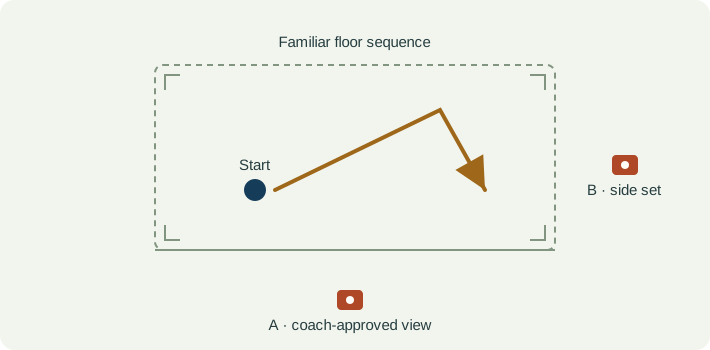
Keep the camera operator and support outside the floor, apparatus working area and landing space. Frame from the position the gym permits. Walk through the expected extent of the shot with the coach before recording, without asking the athlete to perform a skill just to test a crop.
Use a fixed landscape view when the movement travels across the floor. Include the relevant start and finish, with room above the highest expected reach and below the feet. A tighter picture is useful only if it still contains the event you are checking. Do not pan late to chase a gymnast who has left the frame.
Record apparatus, sequence, camera location and any change in setup. A different floor diagonal or camera height changes the apparent shape of a movement. A second camera position can answer a different question, but two separate attempts are not two simultaneous views of one performance.
| Event | What to keep visible | Review question |
|---|---|---|
| Lead-in | The familiar preparation or approach before the chosen sequence. | Do both recordings include the same starting event and setup? |
| Selected event | The whole gymnast and enough apparatus or floor context to locate the movement. | Is the position actually visible, or hidden by perspective, equipment or another person? |
| Connection | The transition immediately before and after the selected event. | Does a paused-frame observation still describe the surrounding sequence? |
| Finish | The complete finish and subsequent recovery. | Is the clip long enough to show the result without guessing from a cropped still? |
| Observation | Interpretation to check | Next useful action |
|---|---|---|
| The gymnast leaves the frame. | The clip cannot support an observation about the missing portion. | Keep that portion marked unknown and widen the next permitted recording. |
| One landing looks different in another camera view. | Perspective, surface context or a different attempt may explain the apparent change. | Use matched views before discussing the difference with the coach. |
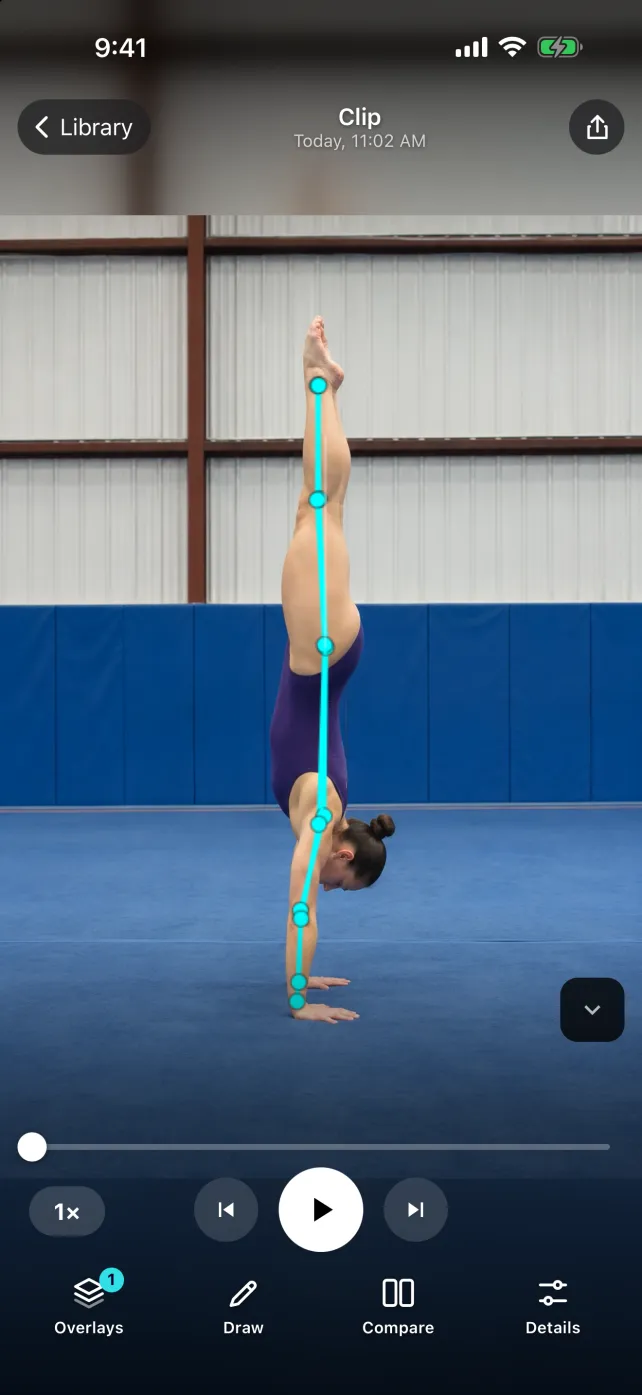
| An overlay jumps while the body rotates. | The pose estimate may be unreliable when limbs overlap or move quickly. | Inspect the source frame without the overlay; do not treat a skeleton as a judging measurement. |
| The finish is missing from an exported example. | The edited clip has removed information from the original. | Retain the original and include enough before and after the selected event to explain the note. |
For SportsDraw 1.1.0, the useful workflow is manual: import a permitted practice clip, step through a selected event, mark a visible reference and compare familiar sequences. Keep the apparatus, setup and coach’s question in the note. Drawn angles describe the image plane, and body overlays are estimates. SportsDraw does not calculate gymnastics deductions, difficulty values, safe landing forces or injury risk.
See what SportsDraw can do · See SportsDraw on the App Store
One phone view does not reconstruct three-dimensional body position or contact forces. A body overlay cannot establish whether a skill is safe or ready to progress. This guide is for recording and communication within existing coach-supervised practice. Official judging, qualification, competition-video and safeguarding requirements come from the relevant organisation and venue; this practice workflow does not replace them.
Slower playback does not add frames that the camera never recorded. If contact is hidden or falls between frames, preserve that uncertainty in your note. See frame timing explained.
https://sportsdraw.app/posts/gymnastics-routine-video-review
This worksheet stays in this page. Copy or print it to keep it; its contents are not sent to us.
Floor sequence, same side camera and floor diagonal. The selected connection is visible in both attempts, but take B ends before the recovery. Observation: I cannot compare the complete finish. Ask the coach whether the camera can remain recording longer on the next planned attempt.
This article is published by the app developer as a filming-and-review workflow. Camera diagrams and example notes are illustrative. They are not athlete test results or an individual coaching assessment. Coaching context was checked against the primary resources below on November 8, 2026.
Historical event-specific filming guidance illustrates stable camera placement, full-body visibility and apparatus-specific framing. It is not presented as the current rulebook or as permission to film at a venue.
The organisation’s media policy demonstrates that event recording and publication rights are separate from the technical ability to film. Check the applicable event and venue policy before recording or sharing.
Film your whole dance phrase, keep left and right consistent, and compare the same count. A free camera plan and printable rehearsal-review card.
Read the filming planFilm a volleyball serve with full-body framing and target context. Compare the same serve type, toss, contact interval and recovery on ordinary phone video.
Read the filming planAll sports video-review guides · Baseball and other practice articles